Stratbase Team
Analysis Mode, 60 fps Stacked Playback and Faster Loading
Multi-view is now Analysis mode, with a proper start screen, live buy and map-area filters, playlists, and a search for more matching rounds. Underneath, we rebuilt how stacked rounds load and render: 200 stacked rounds now play at 60 fps instead of under 1 fps, and leaving a big session keeps 100× less memory. This post also rounds up everything else shipped since 11 November.
Analysis mode
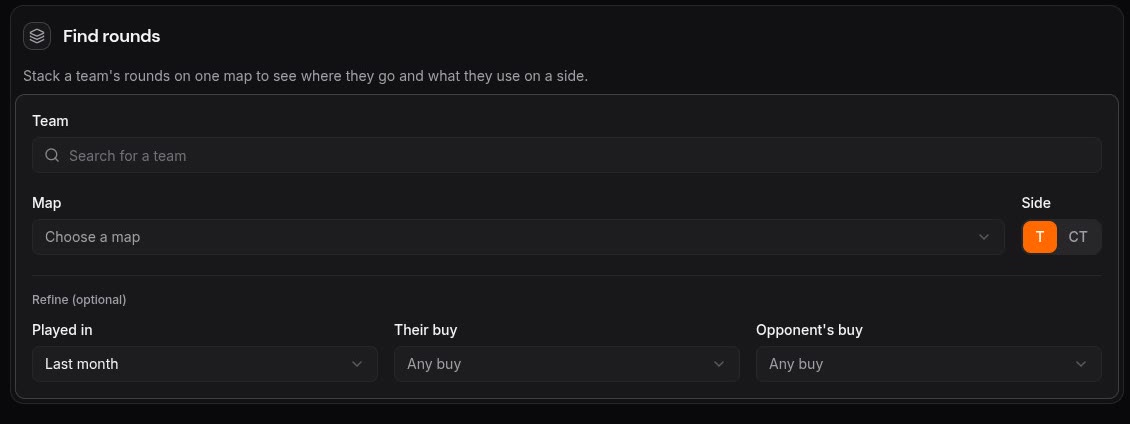
Multi-view used to start from a form of dropdowns. Analysis mode replaces it with a start screen at /analysis (also linked in the sidebar, on the Demos page, and from match headers in the viewer).
Before
After
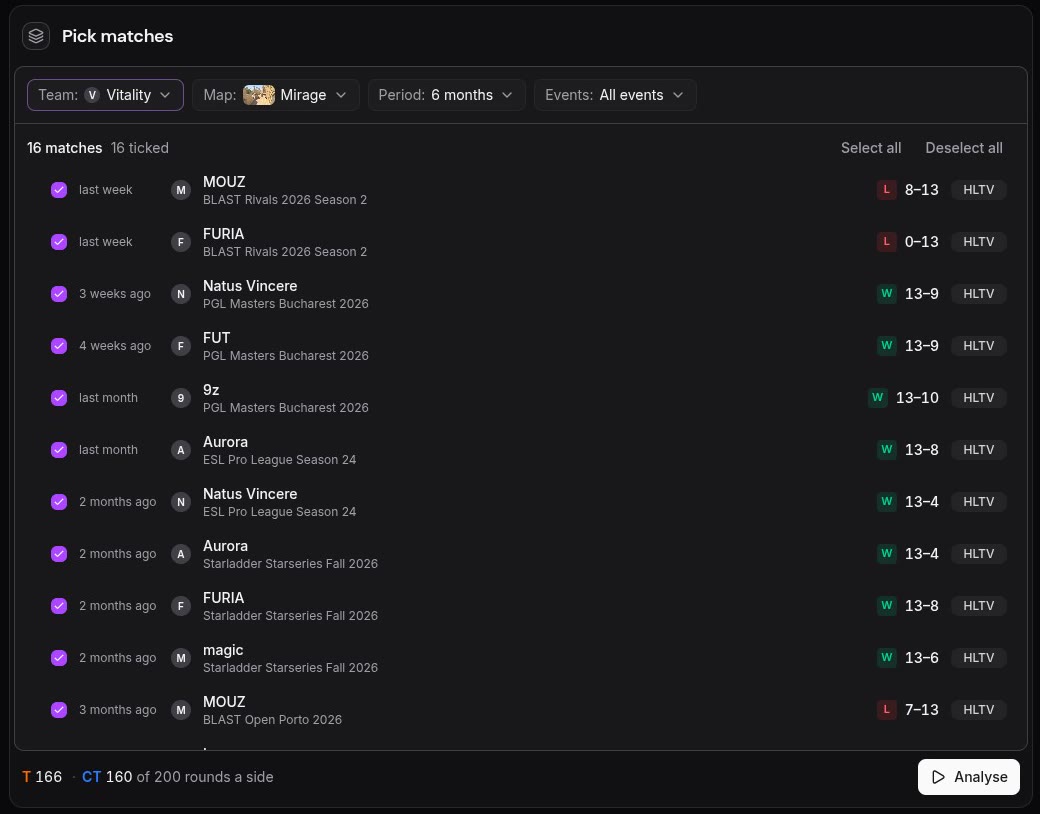
- Search by team or by players to follow a roster across stand-ins and org changes.
- Tick or untick individual matches, see T and CT round counts up front, and switch sides in place inside the viewer.
- Old Multi-view links redirect straight to Analysis mode with your rounds intact.
Cleaner stacked view and unified viewer UI
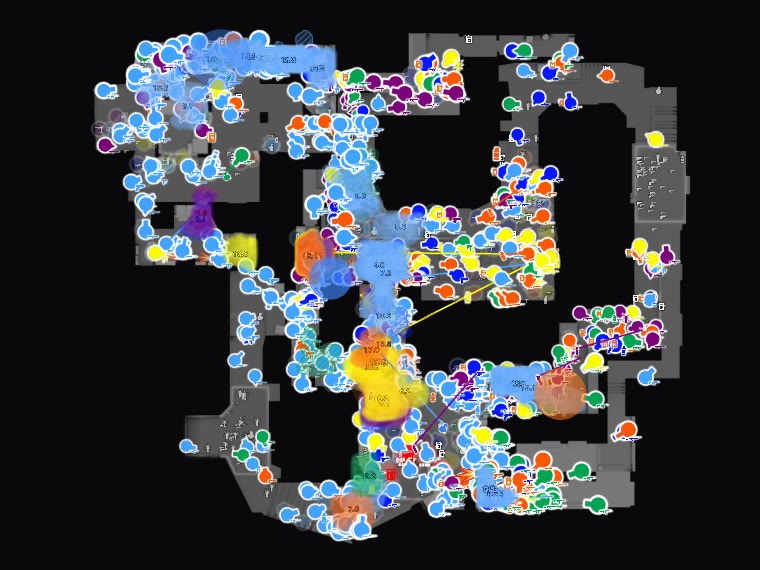
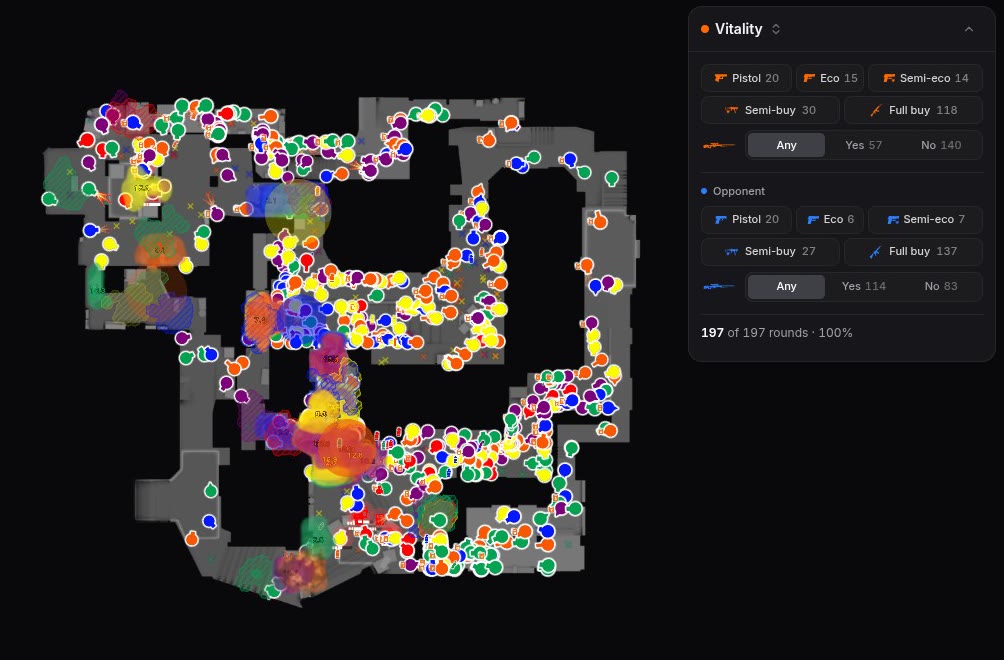
Stacked Analysis mode now declutters the radar by default and hides the opposing team while rounds are stacked, then brings both teams back the moment you pick a single round.
Before
After
Buy, AWP, and map-area filters
Narrow down a stacked session right inside the viewer without starting over.
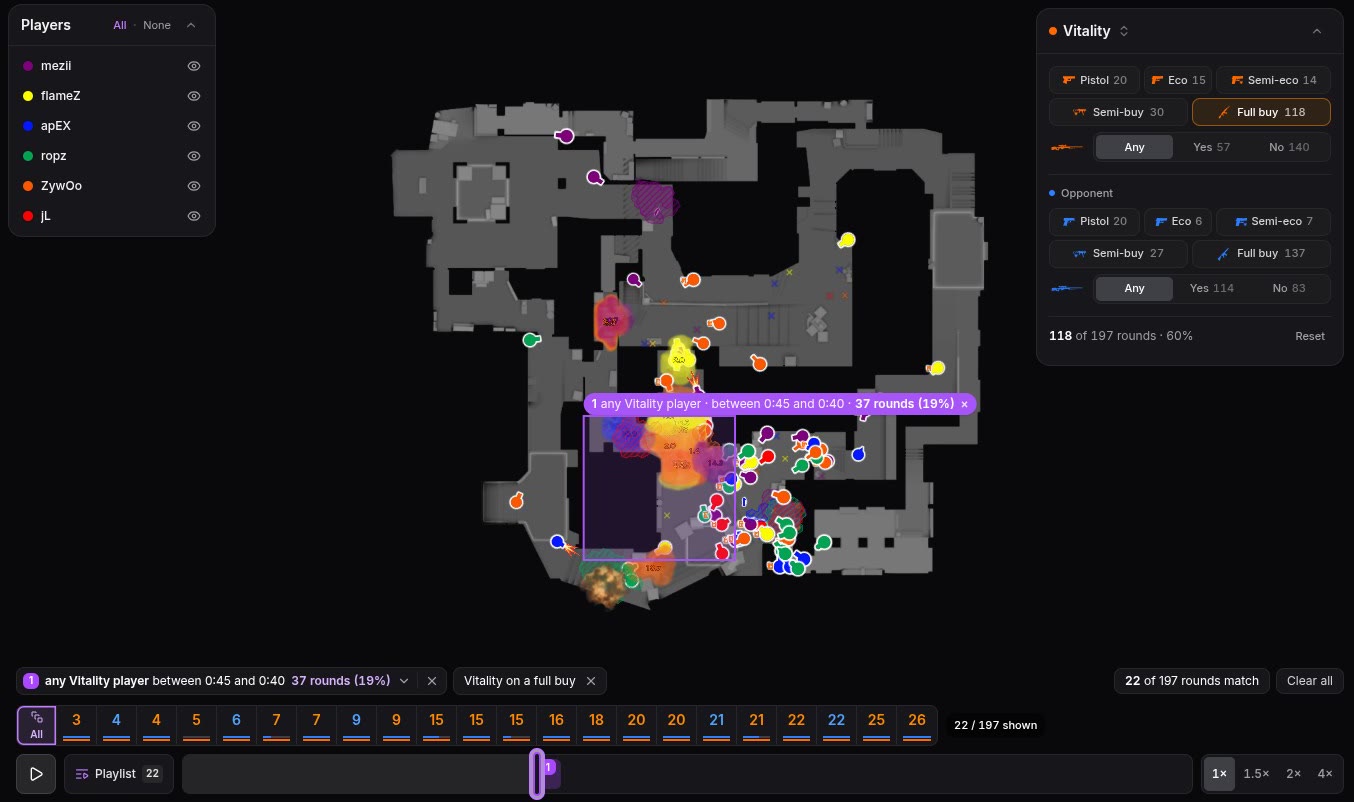
- Filter by buy type (Pistol, Eco, Semi-eco, Semi-buy, Full buy) and whether either side had an AWP.
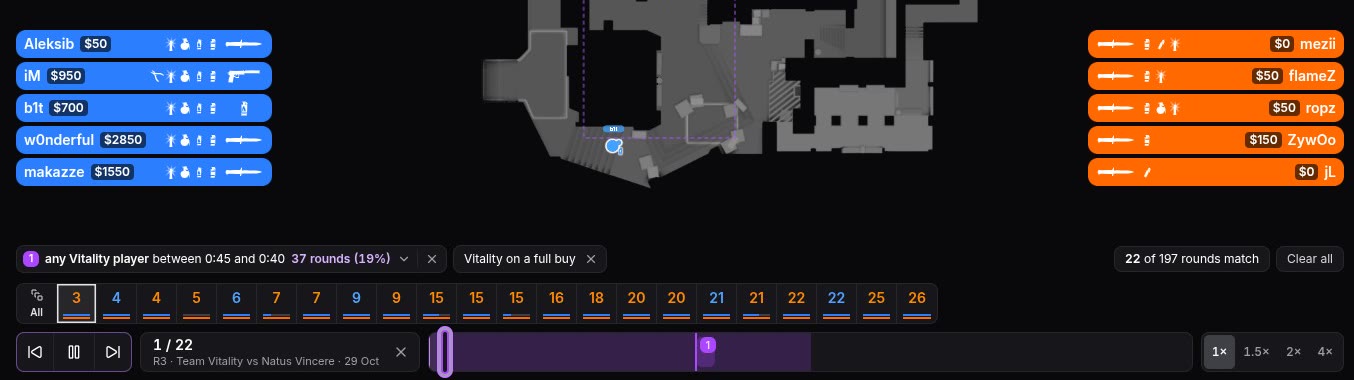
- Draw filter boxes on the map with a look-ahead window (Now, 2 s, 5 s, or 10 s), tracked as chips in the tray ("22 of 197 rounds match") and colour-coded bands on the timeline.
- Pull in more matching rounds from the database (including ESEA league demos), up to 400 rounds per side.
Match playlists
Click Playlist to step through your matching rounds one after another instead of clicking back and forth on the round strip.
Over 100× smoother playback and faster loading
- Over 100× smoother stacked playback: 200 stacked rounds with smokes used to run under 1 fps (roughly 2 seconds per frame). They now run at a steady 60 fps on integrated graphics.
- ~25× faster to the first round: Opening 200 rounds used to leave the radar empty for 78 to 94 seconds. Rounds now stream in as background workers decode them, with the first round on screen in about 3 seconds and all 200 finished in 11 to 12 seconds (~7× faster overall).
- 100× less memory left behind: A memory leak held onto ~1.9 GB after leaving a 200+200 session, freezing 9 out of 10 re-entries. It now keeps ~19 MB, and replays are cached in your browser between visits.
- 3× faster round prep when loading extra matching rounds, across up to 8 background workers.
2D Demo Viewer updates (since 11 November)
Before
After
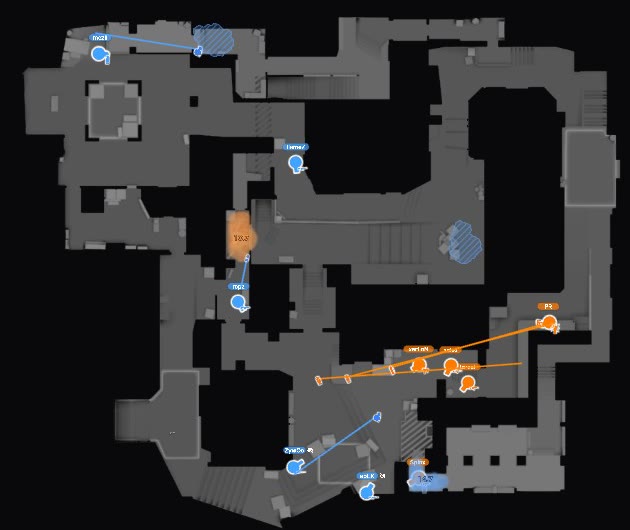
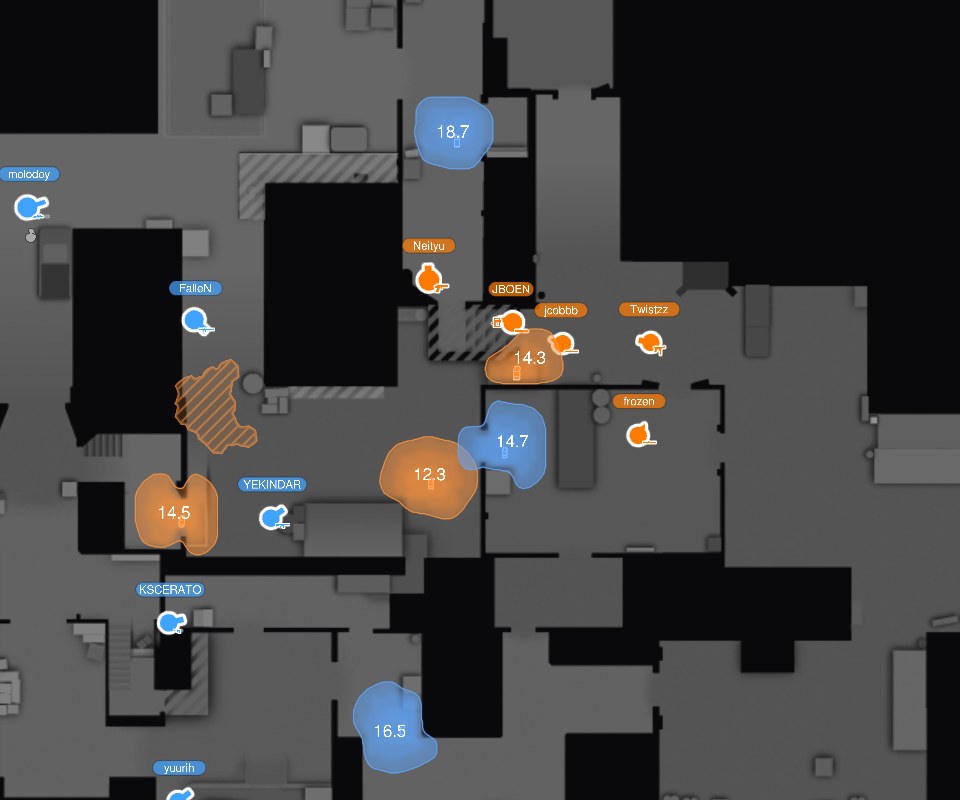
- Smokes dropped their outline for billowing team-coloured clouds, and overlapping smokes from the same team merge cleanly.
- HE grenades now blow holes through smoke, clearing an opening for just over a second before refilling from the centre out over about four seconds (on newly analysed demos).
- Smoke timers no longer jitter as they count down, player height scaling is softened, and nade trajectories are clean single-width lines that fade on other floors.
- Cobblestone demos now open with Valve's radar and map artwork.
- Toolbar menus like Layers open above the Players panel, notification toasts sit at the bottom centre clear of the controls, and playback speed keys moved to
-and=.
Demos, ESEA league demos, and stats (since 11 November)
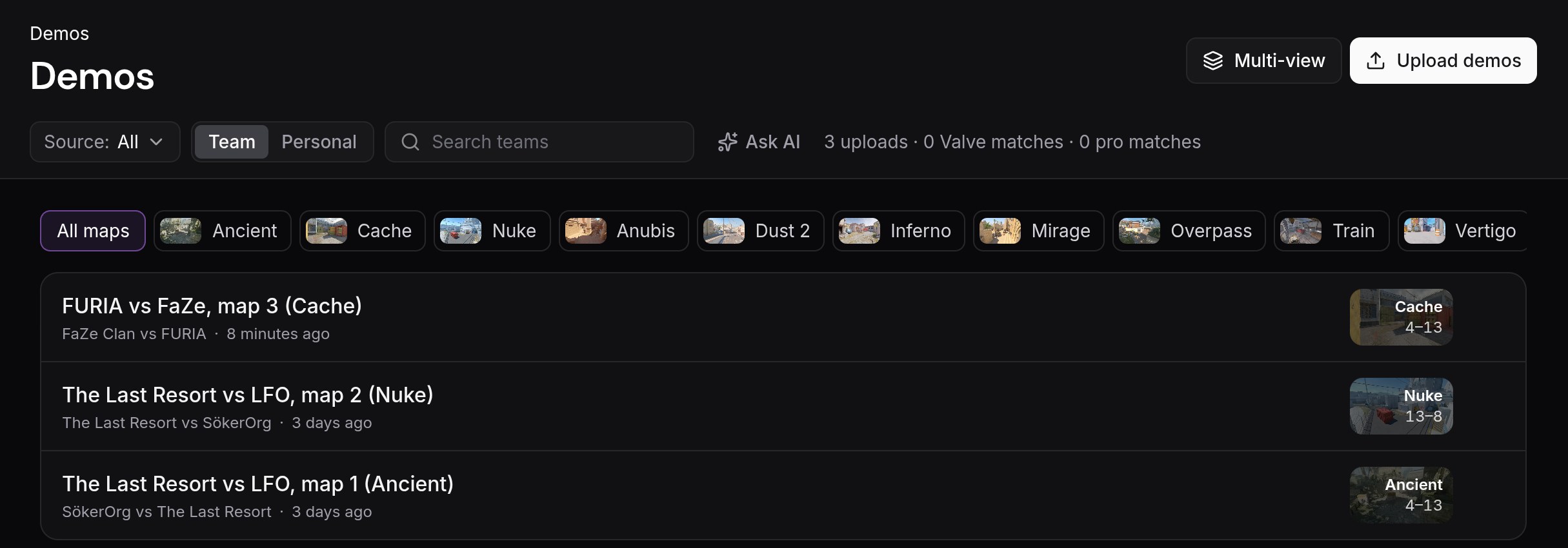
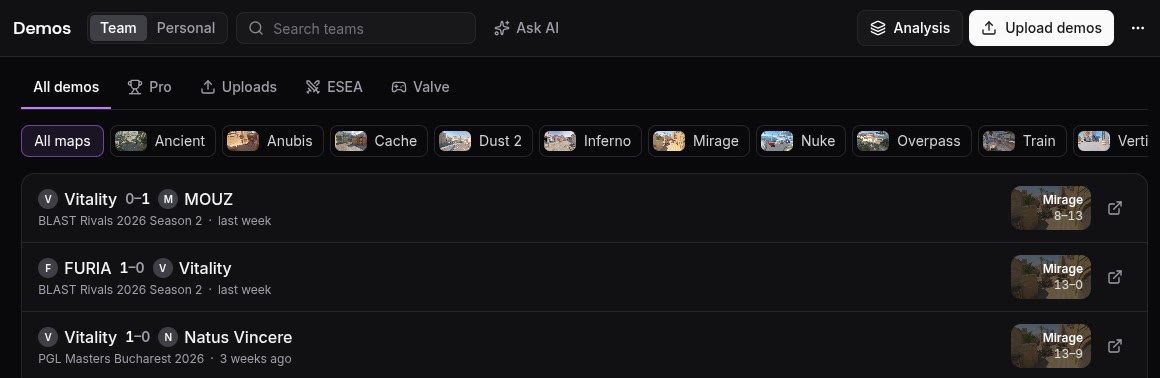
Before
After
- Source tabs (
All demos,Pro,Uploads,ESEA,Valve) replace the Source dropdown, and FACEIT ESEA league demos now sit alongside HLTV pro demos. - Page headers are now one compact row with breadcrumbs retired. Filtering keeps results steady while loading, and demo renames update immediately.
- Matchmaking imports check for finished Premier and Competitive matches as soon as our Steam bot sees your game end (and check private-profile friends every minute while in CS2 instead of every 30).
- Player statistics now come from our own engine: split pro maps count each round once, coaches are excluded, bots get their own IDs instead of merging into "Crew", and GamersClub demos get full stats.
Ready to try Stratbase?
7 days free, no card.