CS2 strat maker
If you want a blank radar where you drag player tokens around, Stratbase isn't that. It's not a tactics board. Instead, you load a real round in the 2D demo viewer, draw freehand over the replay, record a short clip, and put that clip into a written strat your team can open and print.
It's made for IGLs and captains who build strats out of real rounds, where the clip shows the routes and spacing and the text spells out who throws what util and when. If you only want a blank map to sketch on, this is the wrong tool.
1. Draw over a round
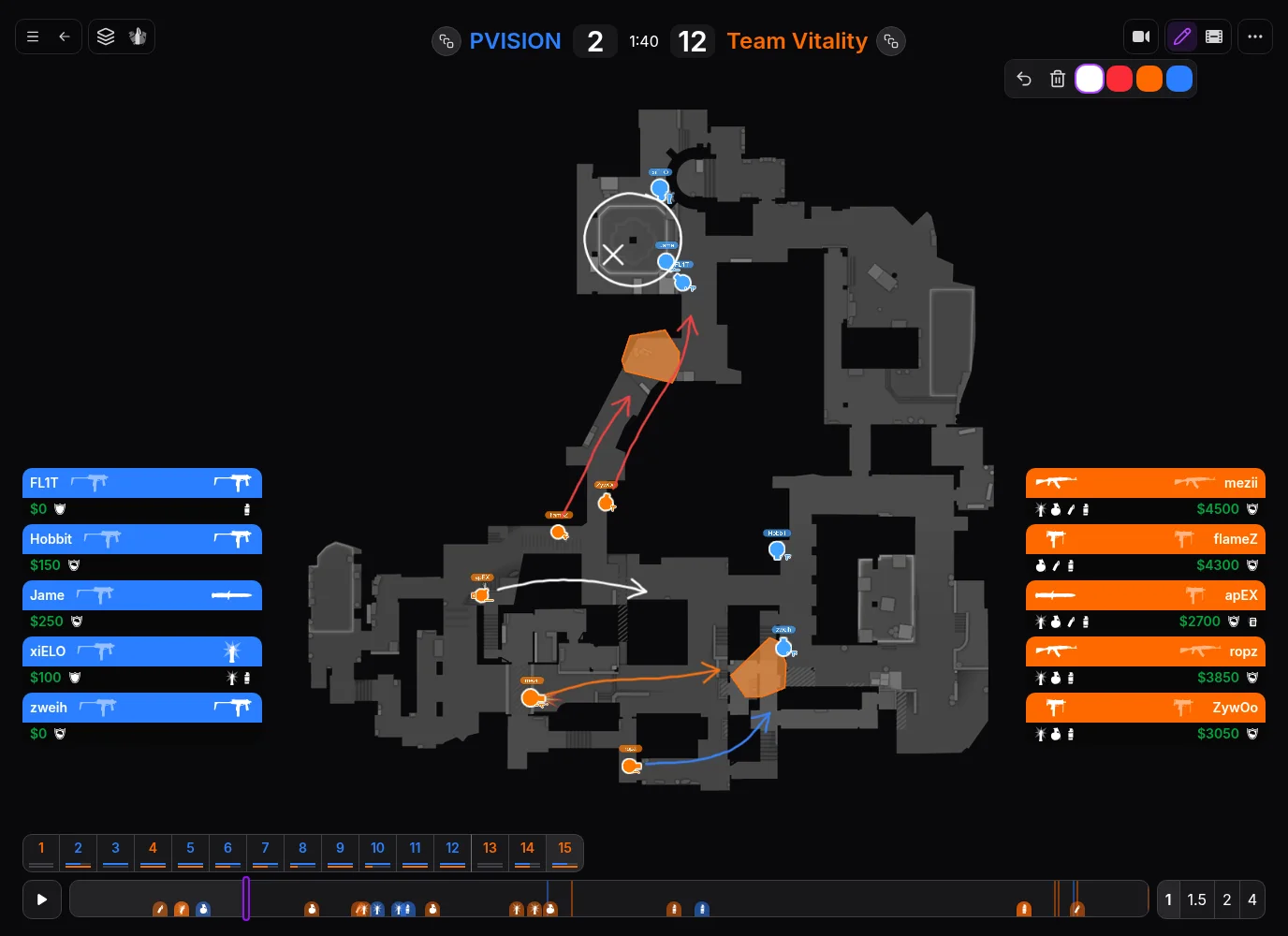
Pull up a round in the 2D demo viewer from a pro match or a demo you've uploaded. Hit Draw and sketch straight onto the map, with a choice of colours, undo and clear. It's a freehand pen, so arrows and circles are drawn by hand.
One thing to watch: drawings aren't saved. As soon as you change round they're wiped, so record your clip before moving on.
2. Record the clip
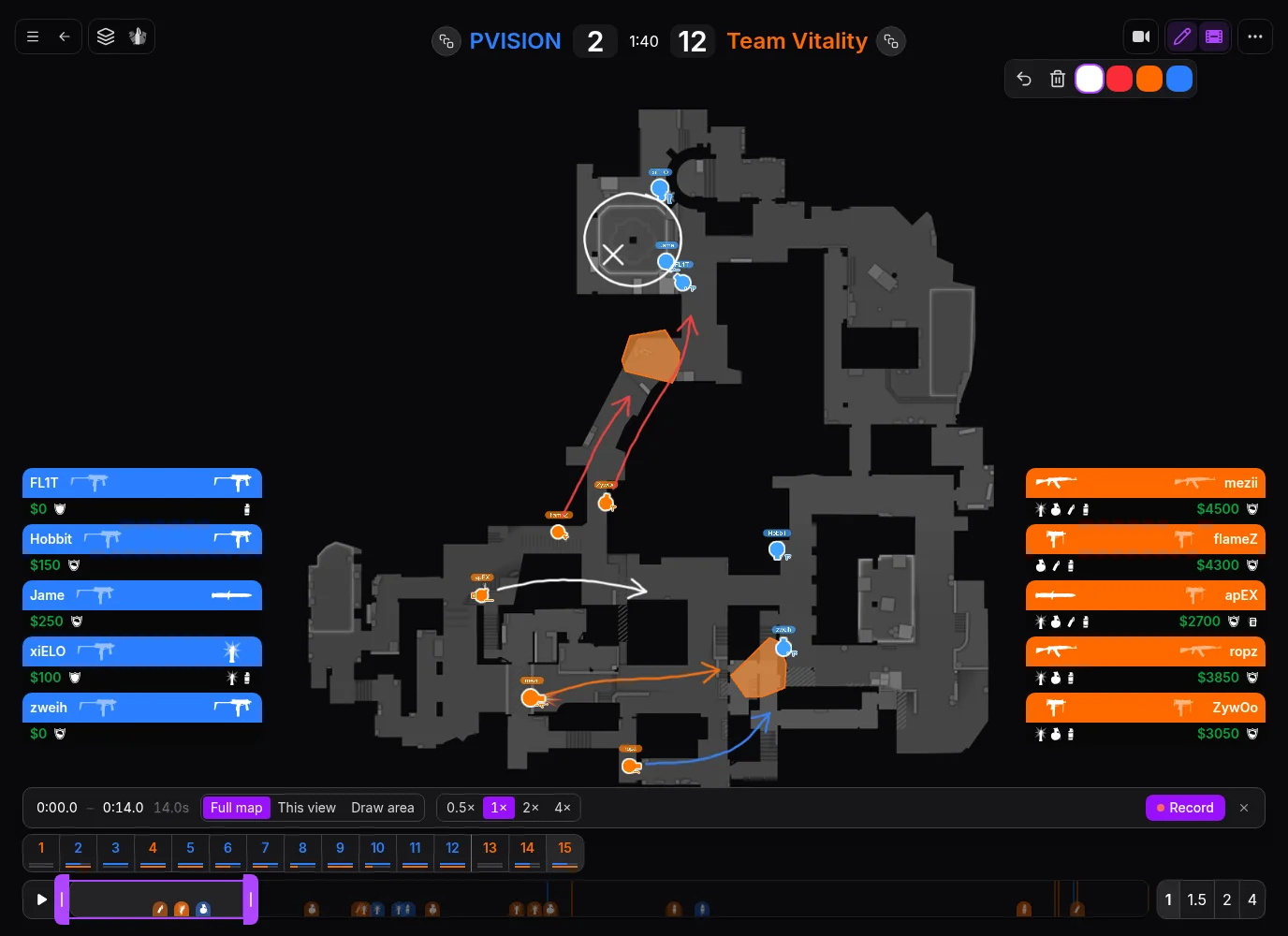
Click Record clip (the film icon). Drag the markers on the timeline to set your start and end points, or press I and O at the playhead. Choose between the full map, your current view, or an area you drag out, and set a playback speed. Whatever you drew on the map stays in the video.
Hit Record to download the MP4 (up to 60 seconds, 1080p and 8 MB). Clips are encoded in your browser and only work in the 2D view. Your browser needs to support video encoding; if it doesn't, the recording bar will tell you.
3. Write up the call
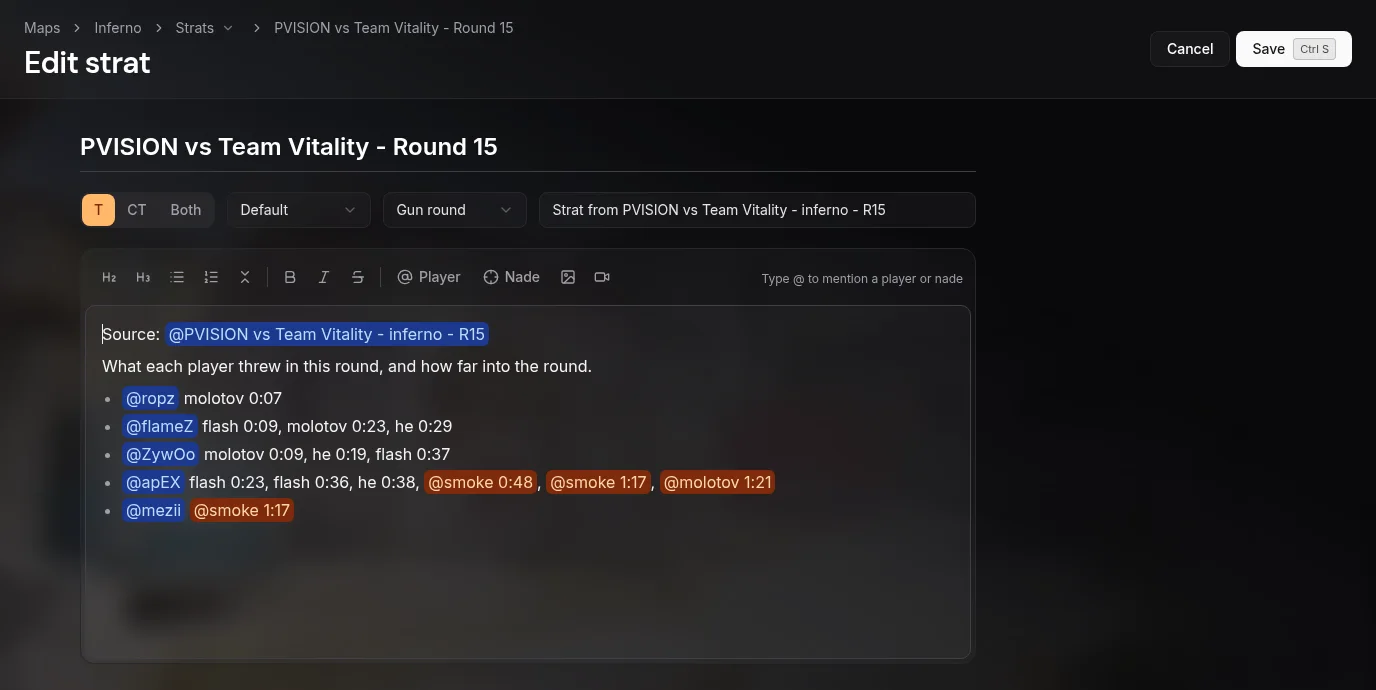
Open the viewer menu and pick Create strat from round. That brings up a form with the map, title, side and round type already filled in, plus a link back to the round. Side and round type are guessed from what happened in the round, so give them a quick check. You can also start a blank one from Strats on any map.
- Side: T, CT or Both.
- Type: Default, Execute, Set play or Adaption.
- Round type: Gun round, Pistol, Eco, Force buy, Half buy, Anti-eco or Anti-force.
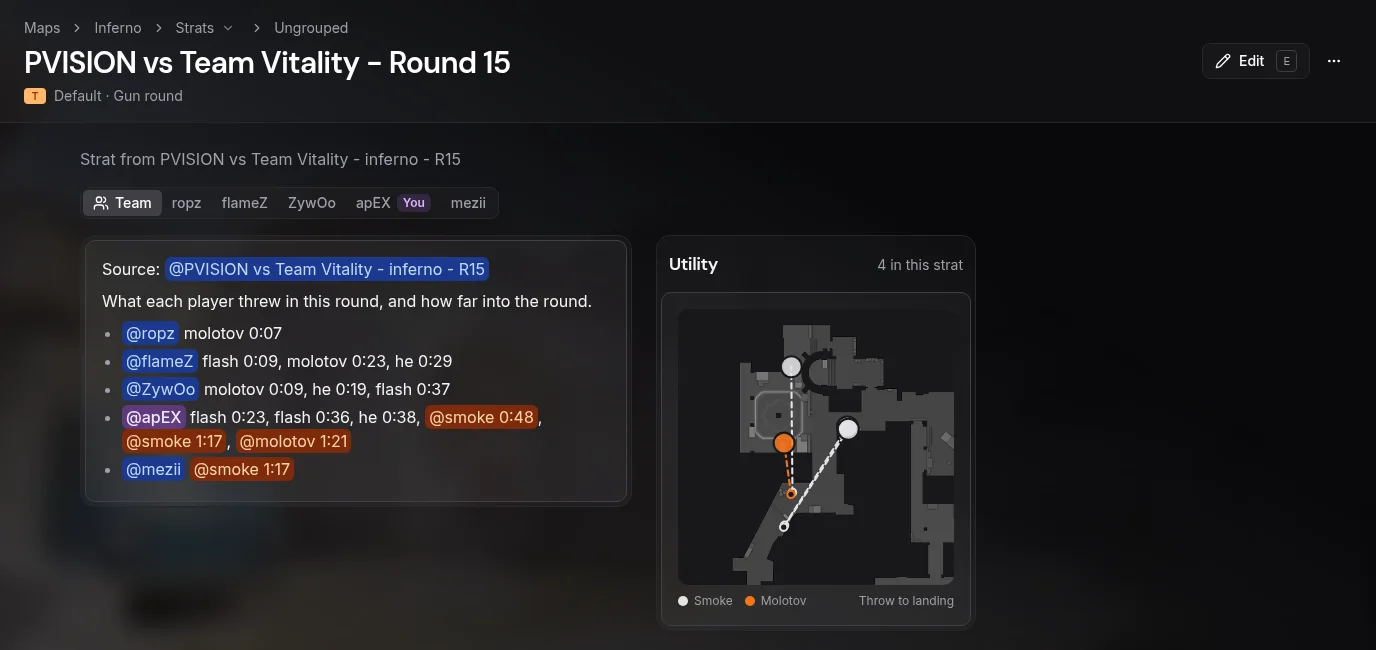
In the editor, use the video button to upload your clip and the image button to drop in screenshots. Nade lets you tag a lineup from the Pro Nade Database; once saved, the strat plots every tagged nade on a radar beside the text from throw to landing. If you want to reference another round, use Copy round mention in the viewer and paste the link straight in.
4. Split it up by player or spawn
Type @ to tag a teammate, or tag a spawn when the job goes to whoever spawns there. Put a mention at the start of a line and that line is assigned to them. As soon as two or more players have their own lines, the saved strat adds a tab for each player next to the full Team view, so people can just read their own job.
5. Save it for the team
Hit Save or Ctrl+S. The strat is live for your team straight away, and everyone gets a notification in Stratbase.
Access stays inside your team. There are no public links for strats, so anyone outside the team who opens the URL won't get in. If you want a paper copy for LAN or your desk, you can print all strats for a map or just your own roles. And if you're prepping a set order of calls for an upcoming match, group them into a gameplan.
What you need
Strats live under a team, which needs the Team plan (€30/month, or €25/month billed yearly, covering up to 7 people). Only one person pays; the rest of the roster joins without needing their own subscription. The Individual plan covers drawing on replays and uploading demos, but doesn't include strats.
New accounts get a 7-day trial with no card needed, and team strats are included. Just create your team during the trial to try it out.
Putting a full stratbook together?
That covers making a single strat. Head over to the CS2 stratbook page to see how strats are organised and filtered across your map pool.